
Overview
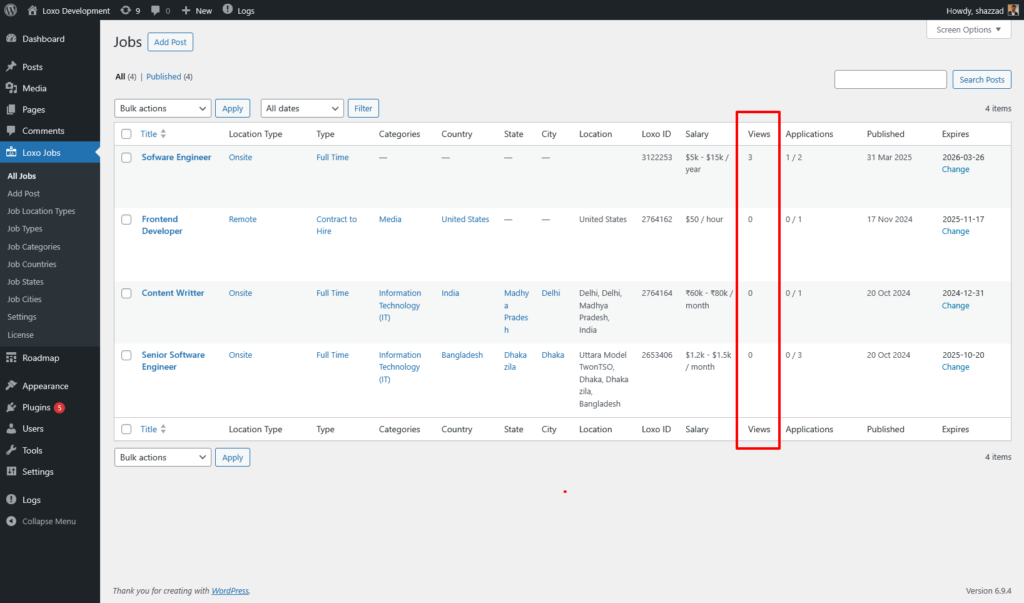
The plugin can track how many unique visitors view each job listing on your site. View counts are displayed in the admin job list, giving you insight into which jobs attract the most attention.
How It Works
- When a visitor opens a single job page, a lightweight AJAX request is sent in the background to record the view.
- The visitor’s browser stores a flag in localStorage for each job they’ve viewed. If they reload or revisit the same job, no additional view is counted.
- A new visitor (or a different browser/device) will count as a new view.
- The AJAX approach works correctly even when your site uses page caching.
Enabling View Tracking
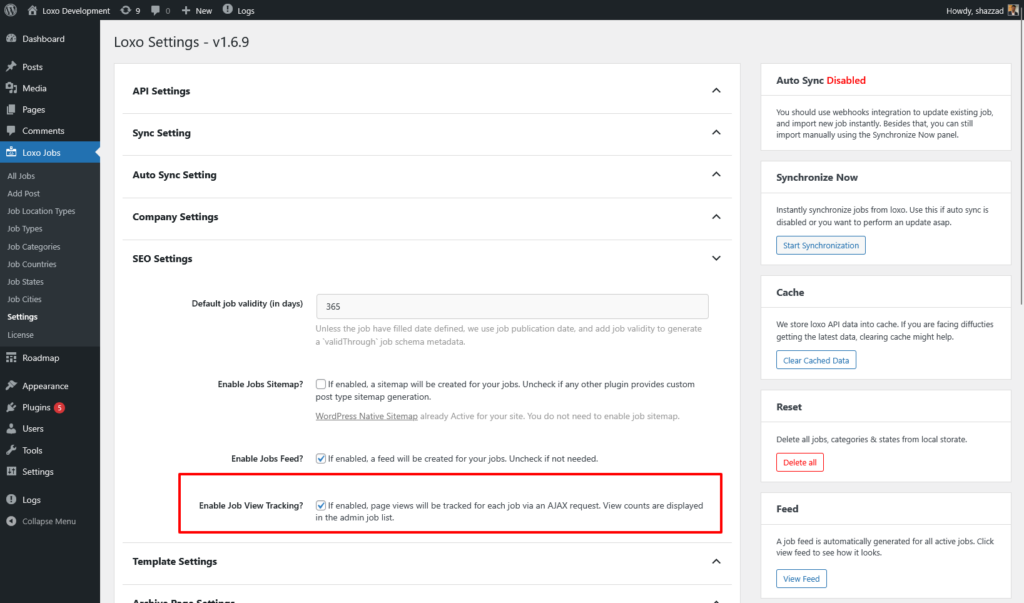
Go to Loxo Jobs → Settings and scroll to the SEO Settings section. Check Enable Job View Tracking and save. View tracking is enabled by default.
Viewing the Data
Navigate to Loxo Jobs in the admin. The Views column shows the total unique views for each job.
Notes
- View counts represent unique visitors per browser, not total page loads.
- Clearing browser data (localStorage) will allow the same visitor to be counted again.
- If view tracking is disabled, no AJAX requests are made and the REST endpoint returns a 403 response.
- The tracking endpoint (
/wp-json/loxo/v1/job-view) is public and does not require authentication, keeping the request lightweight.