
Loxo’s job distribution puts your roles on Indeed, LinkedIn and the other boards. That is the right tool for reach.
One channel stays yours to run: your own website. Google for Jobs reads job pages straight from your domain. When it lists one, the candidate lands on your site, applies on your form, and the placement is attributed to your brand. Here is how LoxoWP gets your Loxo jobs into that channel automatically.
What Google needs from your site
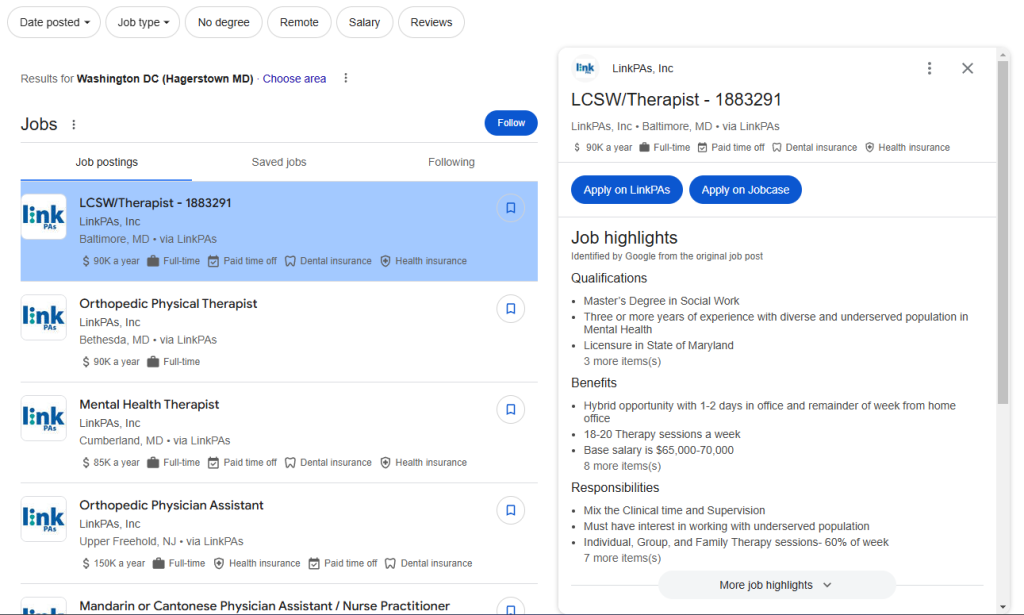
Google for Jobs fills its listings from JobPosting structured data on individual job pages. It needs a page per role, structured data on that page, and a quick way to learn a page has appeared or gone. The schema deep-dive walks through the markup itself. This post covers how LoxoWP handles all three.
One page per job, with the markup filled in
LoxoWP stores each Loxo job as a WordPress post with its own URL. On every job page it prints a JobPosting block built from the Loxo record: title, the full description with paragraphs and lists preserved (since 2.5.0), date posted, valid-through date, employment type, hiring organization with its URL and logo where set, street address, city, region, postcode and country. Remote roles get the TELECOMMUTE flag and the applicant country. When a job carries a salary and you have not hidden salaries, the block includes currency, pay period, and the minimum and maximum of the range.
Company name, URL and logo are set once in the plugin settings.
Telling Google, quickly
The job sitemap at /loxo-jobs-sitemap.xml lists every published job with its last-modified time and is announced in your robots.txt, so Google finds new roles on its normal crawl.
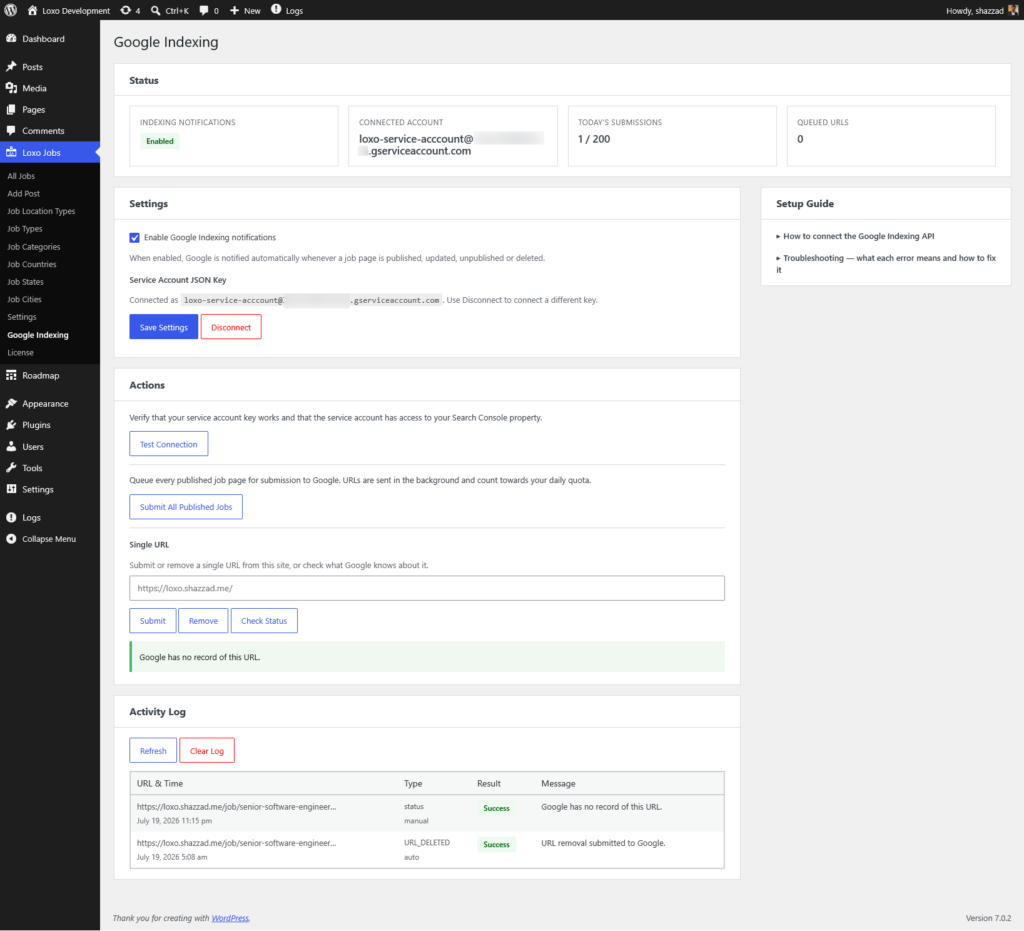
For roles that fill in days, the Google Indexing API integration is the faster path. You do a one-time setup: create a service account in Google Cloud, paste its key into the plugin, and add that account as an Owner in Search Console. From then on, when a job is published or updated, LoxoWP asks Google to crawl it. When a job is unpublished or deleted, LoxoWP asks Google to drop it. Requests are queued and retried, and the daily quota is yours alone. The steps are in the Google Indexing API docs.
The failure this prevents
The common one is stale listings. A role fills, the recruiter closes it in Loxo, and weeks later Google is still sending candidates to a page for a job that no longer exists. Each click is a wasted applicant and a poor first impression.
LoxoWP closes that loop in three places. When a sync or webhook sees the job is no longer Active or Open in Loxo, the post comes off the live site. That status change triggers a removal request to Google. And the valid-through date in the schema, taken from the job’s published end date in Loxo or from your default validity setting, tells Google when to stop showing the role on its own. Details are in the job expiration docs.
Keeping it current within minutes
Register webhooks from the plugin and a job created, updated or deleted in Loxo shows on your site moments later. A scheduled sync on the interval you choose reconciles the whole board, so nothing drifts.
Why this channel is worth having
Every board listing sits on someone else’s domain, under their rules, and often priced per post. A job page on your own site costs nothing per posting, ranks under your brand, and collects the applicant on your form. The pages, the rankings and the Search Console history build up under your domain and stay there.
If your jobs are in Loxo and your site runs WordPress, see what LoxoWP includes.